Inventory
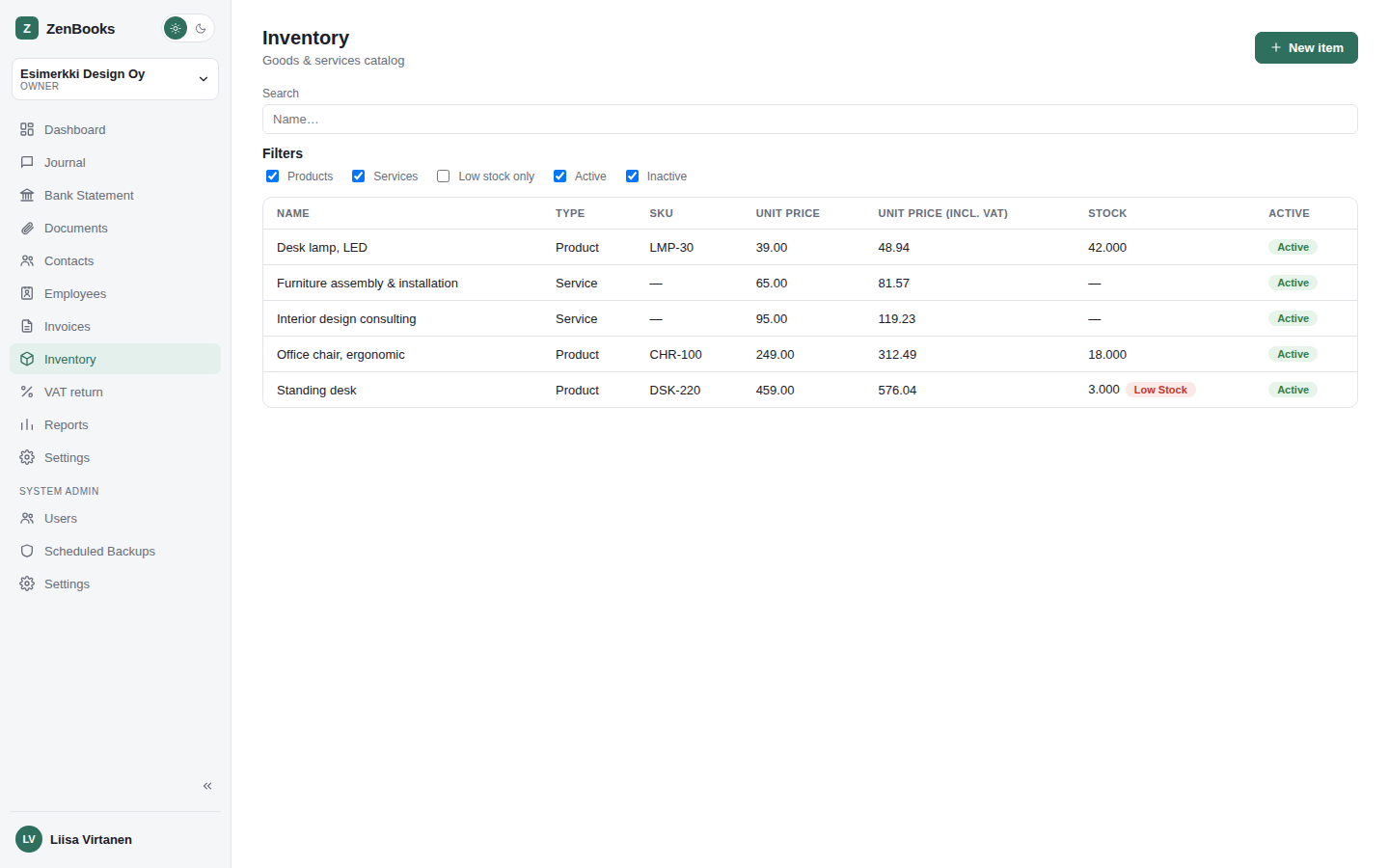
A catalog of everything the company sells - products and services - usable directly from an invoice line instead of typing the same description, price, VAT rate, and account by hand every time. Products additionally track a stock quantity; services don't carry any stock concept at all.
Products vs. services
Every catalog item is one or the other, set when it's created. A product has a running stock quantity and an optional low-stock threshold; a service is just a reusable description/price/VAT/account combination with no quantity tracking. Both share the same optional fields: an SKU, a unit (pcs, kg, hours, ...), a default unit price (shown both excl. and incl. VAT, kept in sync however it's entered), a default VAT rate, and a default account to post revenue to.
Search & filters
A name search box narrows the list as you type. Alongside it, five filter checkboxes - Products, Services, Low stock only, Active, Inactive - work the same way the Chart of Accounts page's own filters do: checking just one narrows the list to that; checking both (or neither) in a pair leaves that pair unrestricted. Products/Services and Active/Inactive both start with everything checked, so the list shows everything until you actually narrow it.
Stock control
A product's stock quantity moves in exactly two ways:
- Selling it - sending an invoice with a line picked from a product item deducts that line's quantity from stock automatically, in the same step as the invoice's own accounting voucher is posted. Removing a sent invoice restores the stock it deducted; restoring a removed invoice deducts it again - stock always matches what's actually been invoiced.
- Manual adjustment - the item's own page has an "Adjust stock" action (enter a positive or negative quantity and an optional note) for entering opening stock, correcting a stocktake, or recording breakage/loss. Every adjustment and sale is kept in a visible history underneath the current quantity.
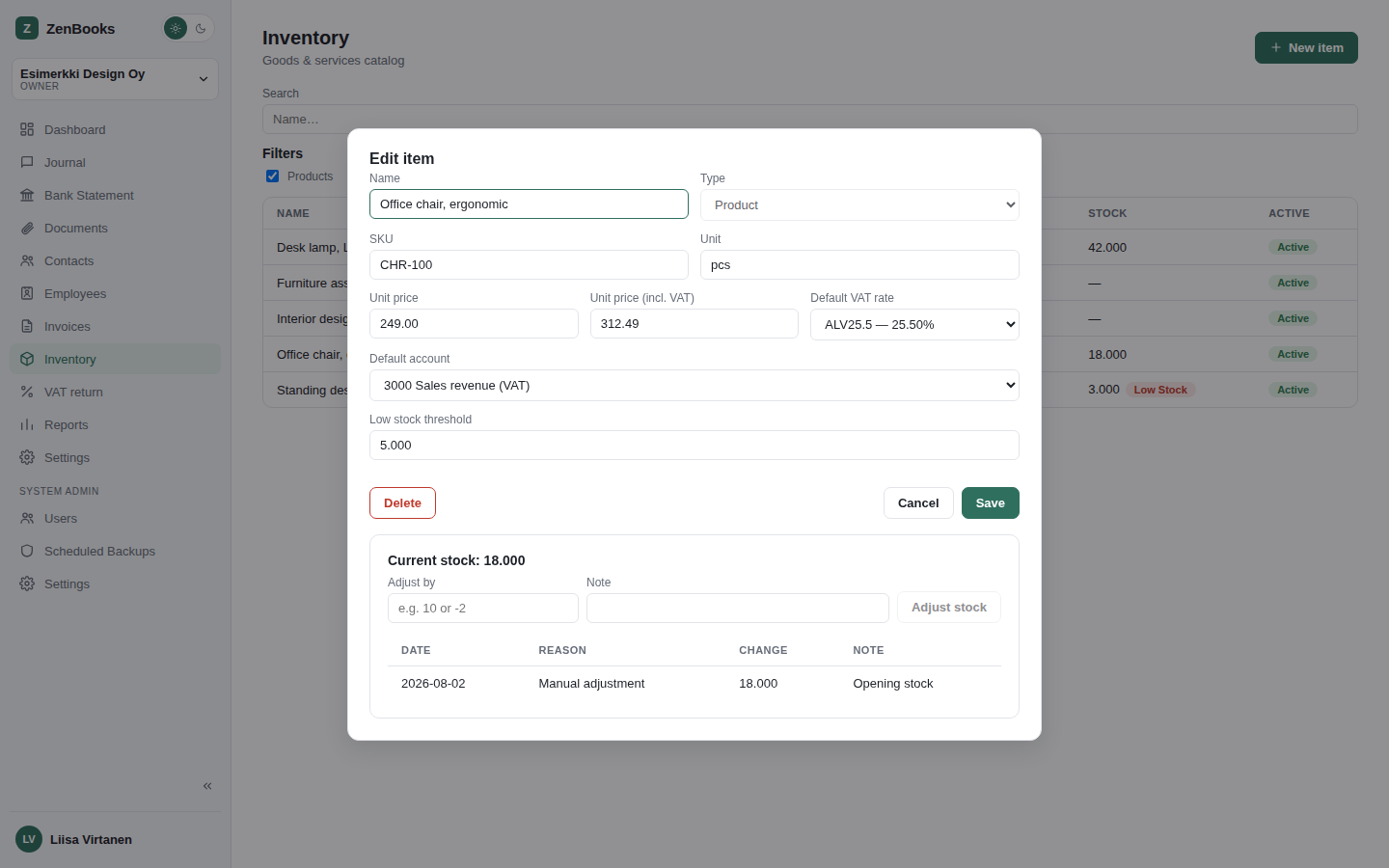
Selling more of a product than is currently in stock is allowed, not blocked - the quantity is simply allowed to go negative, and the item shows a low-stock warning once it falls at or below its own threshold (if one is set) - the same condition the list page's own "Low stock only" filter checks. ZenBooks doesn't stop an invoice from going out over a stock discrepancy; it just makes the discrepancy visible.
Using the catalog on an invoice
Each line's description field in the invoice editor doubles as a live product search - start typing and matching catalog items appear as suggestions underneath; press Enter on a highlighted one to pick it. Picking an item pre-fills the line's description, unit price, VAT rate, and account from that item's own defaults - every one of those fields stays freely editable afterward, so a picked item is a starting point, not a lock. Typing something that matches nothing, or just never pressing Enter, is also perfectly valid - it's plain free text then, exactly as before this feature existed.