Vendor, Email & Vero settings
Admin-only. This is where install-wide integration credentials, the outbound email relay, and per-company Vero e-filing setup live - a bookkeeper never needs to open this once it's working.
Admin → Settings, three tabs: Vendor integration (install-wide keys, used by every company), Email (the outbound SMTP relay every company's invoice emails go through), and Vero (per-company e-filing setup, plus a test console for the Vero API itself).
Vendor integration
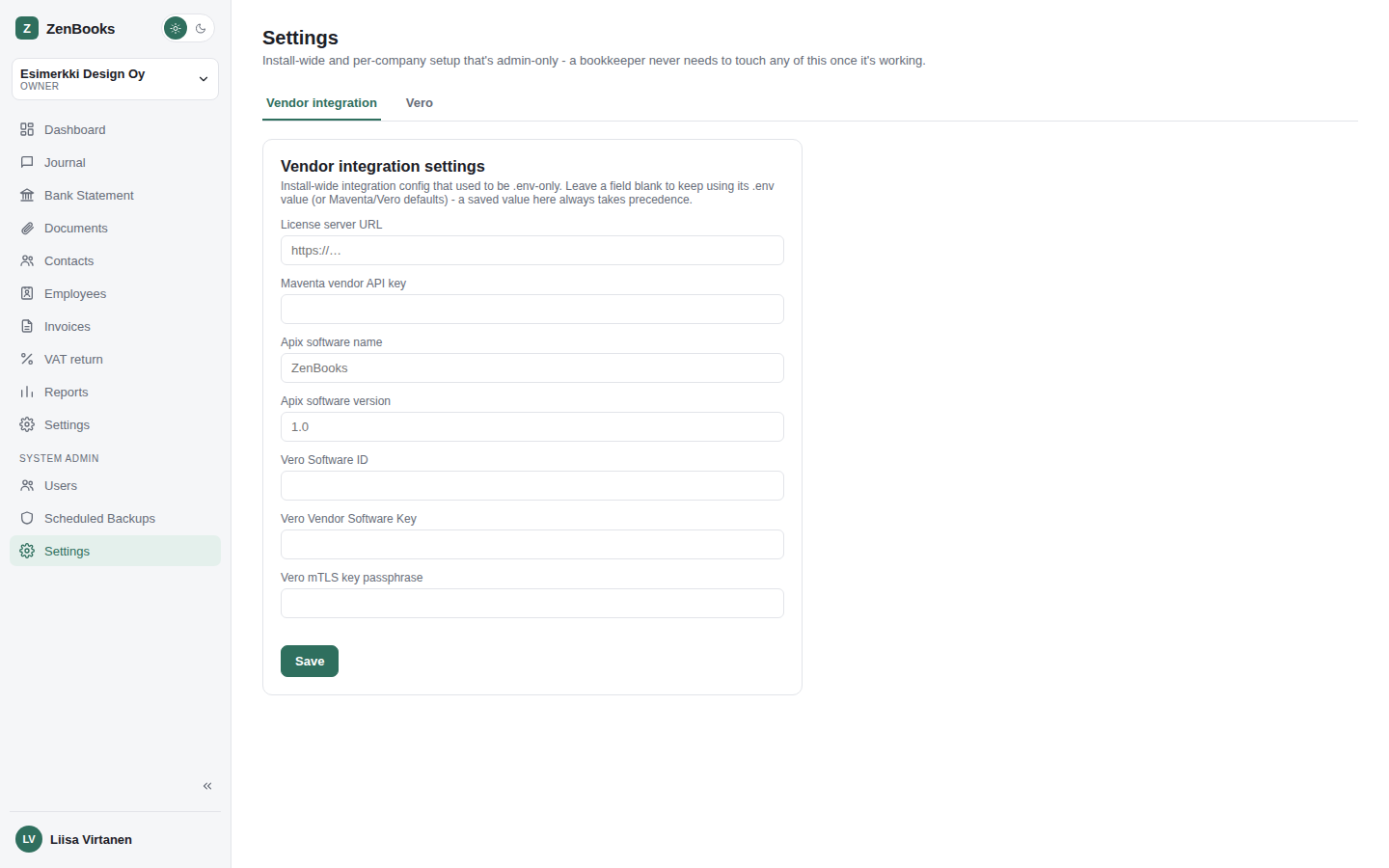
System-wide vendor credentials that apply across every company on the install, each falling
back to the matching .env value when left blank here:
- License server URL
- Maventa vendor API key (masked once saved)
- Apix software name / version
- Vero API software ID
- Vero API vendor key (masked)
- Vero mTLS key passphrase (masked)
A masked field left blank on save keeps its existing value - the same "blank means unchanged" convention used everywhere else secrets are edited in ZenBooks.
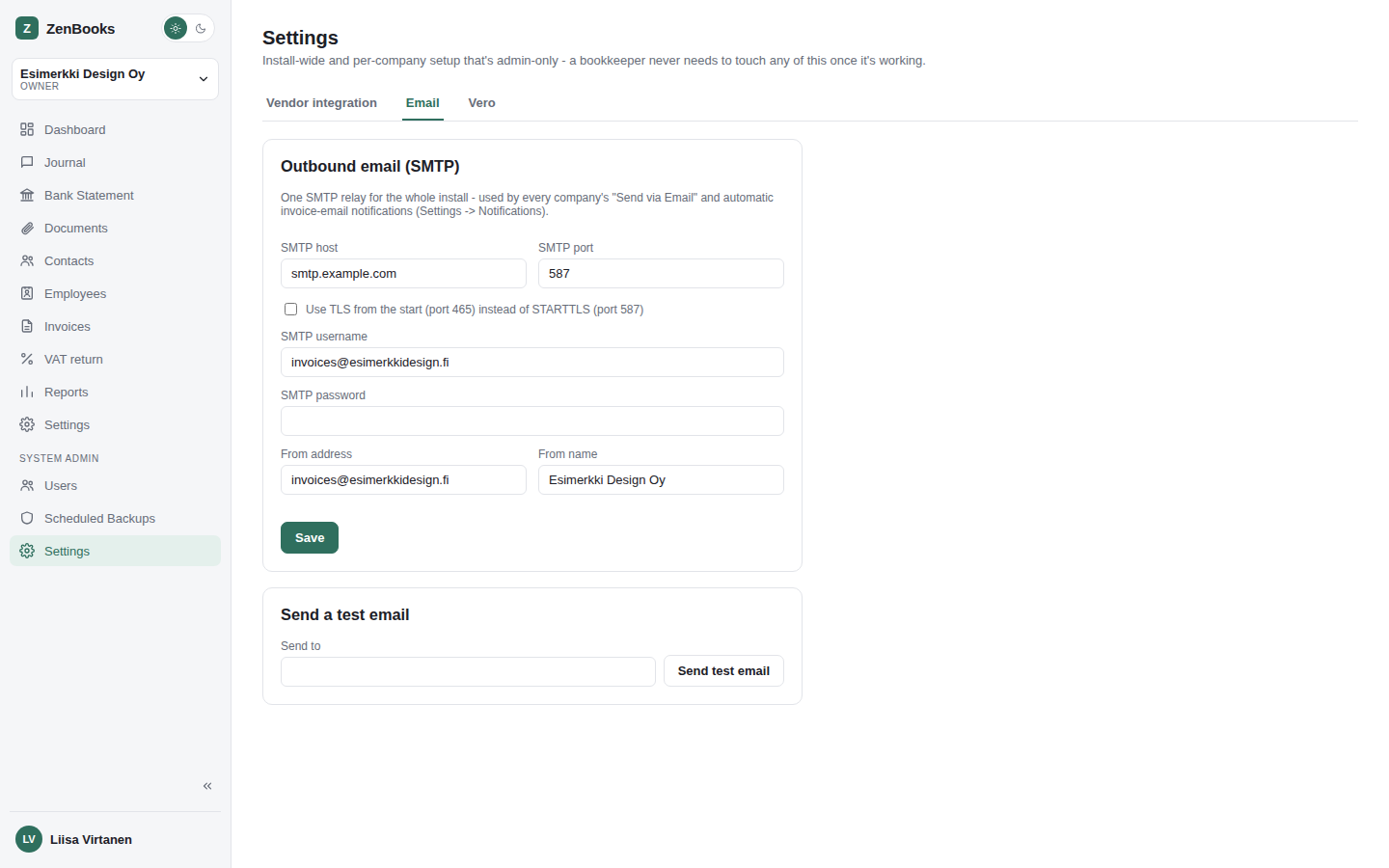
One outbound SMTP relay for the whole install - every company's "Send via Email" button and automatic invoice-email notification (Settings → Notifications) send through it. Host, port, a TLS toggle (on connects with TLS from the start, typically port 465; off uses STARTTLS, typically port 587), username/password (masked once saved), and a From address/name. Nothing sends until this is configured - a "Send test email" button below the form confirms it actually works before relying on it.
Vero
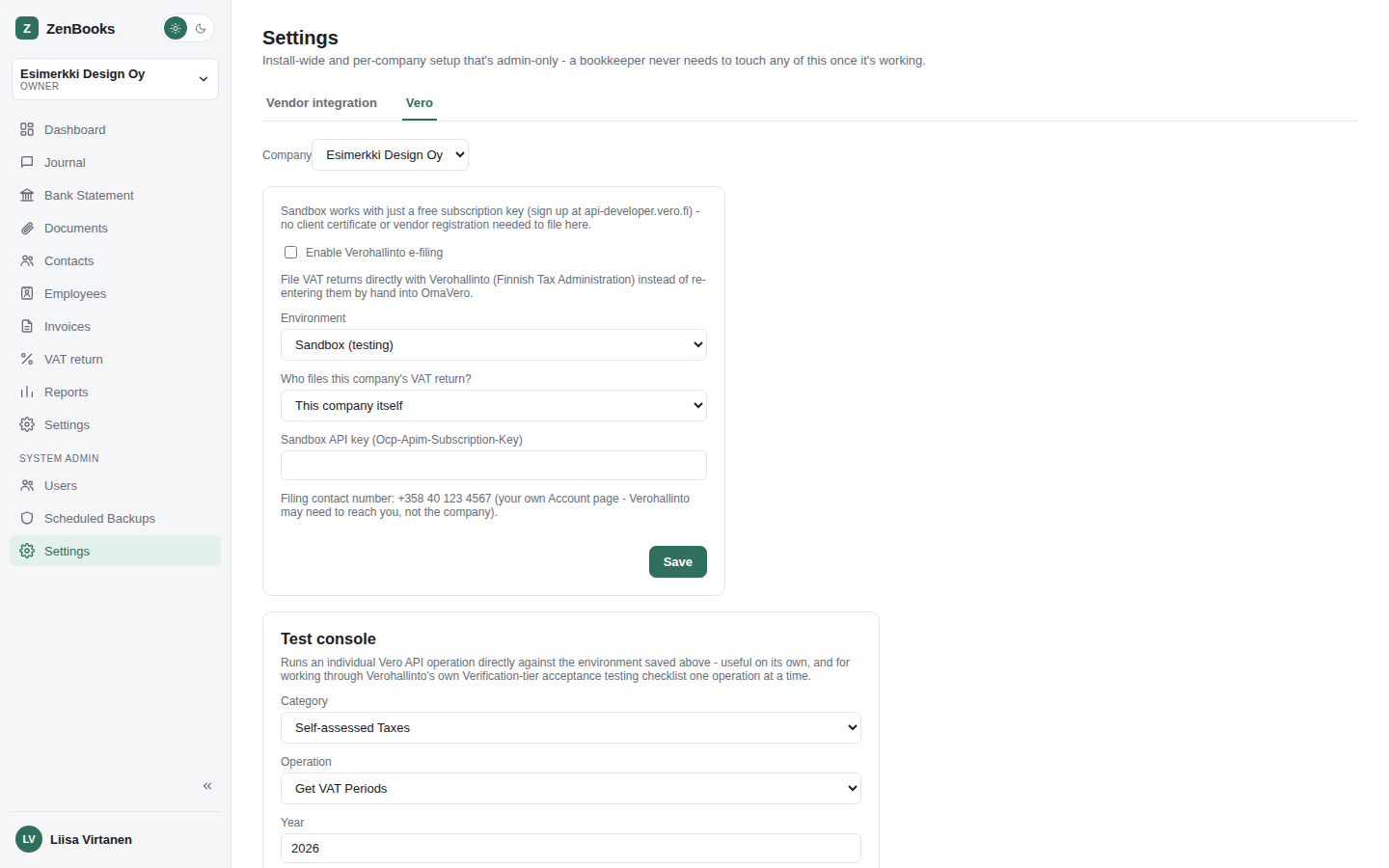
Pick a company from the dropdown, then configure how that company files VAT returns with Verohallinto:
- Enable Verohallinto e-filing - a plain on/off switch.
- Environment - Sandbox (testing, free API key, no certificate needed), Test (a static request-format validator - nothing filed here is ever real), Verification (Vero's own real pre-production acceptance-testing tier - this is the one that actually has to pass before Production access is granted), or Production (real, live filing).
- Who files this company's VAT return - itself, or an authorized accounting firm (with that firm's business ID).
- Sandbox API key - only shown in Sandbox mode; Test/Verification/Production
instead use a shared certificate configured via the Vendor integration tab above and
.env.
The contact phone number Vero is given for a filing is whichever admin's own Account page phone number is set at the time - not anything stored on the company. Once at least one filing has happened, this tab also shows the last filed time or the last filing error.
Test console
Below the per-company form, a small extensible console for exercising the Vero API directly - mainly useful for working through Verohallinto's own Verification-tier acceptance-testing checklist one operation at a time, but also just handy for checking real period status or authorization data on demand.
- Pick a Category - grouped exactly the way Verohallinto's own API portal groups them (only Self-assessed Taxes and Authorization are wired up so far, since that's all ZenBooks itself touches).
- Pick an Operation within that category - the list updates to match the chosen category. An operation not wired up yet is labeled (not implemented yet) and Submit stays disabled for it, rather than being left out of the list entirely.
- Fill in whatever parameters that operation needs (a year, a filing period, business IDs, or a raw JSON body, depending on the operation) and press Run.
- The raw response comes back as JSON underneath the form - the real reply from Verohallinto, not a summary.
Operations currently wired up: Get VAT Periods, File VAT EC Sales List, Get Filed VAT Return v2, VAT refund applications from Ministry of Foreign Affairs (Vero's own docs note this last one is only really intended for the Ministry itself - it's included for completeness, since it's on their acceptance-testing checklist), and Get Vero API Suomi.fi Authorization Token.